.png?width=300&height=76&name=logo%20H%20teal%20(1).png)
Sharing and marketing your event
Once you have set up your event, you will want to start sharing and marketing it online.
Organiser page
Your organiser page displays all the events you currently have published in TicketCo, so linking to this page is generally the easiest and most effective way of sharing your events on social media and other websites. Your organiser page forms the first part of your event links, and is in the following format:
[subdomain].ticketco.events
If you are unsure what your subdomain is, head to Organiser settings.
Simply paste the link to your organiser page in a social media post or create a hyperlink on your webpage. If you have a Facebook Business page, you can add a "Call to Action" button on your page which redirects your customers to your TicketCo page. You can brand your organiser page and you can also add a logo under Organiser settings.
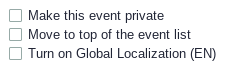
NEW! You can now select to prioritise certain events on your organiser page. By default, events are sorted according to type and then date; however, if you select "Move to top of the event list" on a specific event, it will display first, regardless of date.
Event link
Share the link directly to your event page on social media and your website. Under Event Details, select Copy link to event in order to copy the event link to your clipboard. You can then paste the link in a social media post, or you can create a hyperlink on your webpage.
Iframes
You can also integrate your ticket sales in your website by using iFrames.
TicketCo Logos
You are welcome to use some of our logos when marketing your events! At the bottom of this page you will find two zip files you can download, one containing SVG versions and the other containing PNG versions. You can also simply save the images directly from here:




You can download all TicketCo logos by clicking here
Download TC LOGOS