.png?width=300&height=76&name=logo%20H%20teal%20(1).png)
1. Getting Started: Setting Up & Logging In
You don't need to go through a lengthy registration process to get started. Most fans "create" their profile simply by purchasing a ticket or signing up via the Club's link.
How to Log In
-
Username: Use your email address.
- Password: Create a unique password
2. Navigating Your Profile
Once logged in, you will see several key sections designed to give you full control over your purchases.
Home
This is your dashboard. It provides a quick overview of upcoming events and any notifications from the event organizers.
Active Items
This is the most important section for matchday.
-
What's inside: All your valid, upcoming tickets, season passes, and click cards, subscriptions, memberships, etc.
-
Action: Click on any item to view the QR code for scanning. You can also download them as PDFs or send them to your phone's digital wallet from here.
History
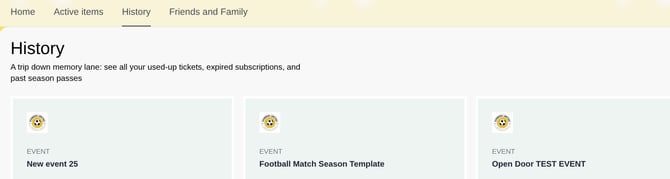
Want to see how many games you attended last season? The History tab archives all your past purchases. It serves as a digital receipt book, showing expired tickets, completed payments, and attended events.
Friends and Family
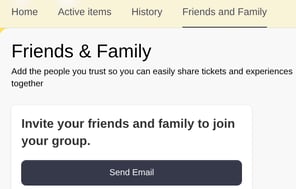
This feature is a game-changer for groups and families. It allows you to link your account with others so you can manage tickets on their behalf.
-
Send Email: You can add "Friends" by entering their email address. Once they accept, you can distribute tickets to them.
-
Why use it? It’s perfect for parents managing children's season tickets or for the "designated buyer" in a group of friends who handles the bookings for everyone.
3. Managing Your Data
If you want to update any of your personal information, reach out to your match organizer.
They can:
-
Update your contact details and marketing preferences.
-
Manage saved payment methods for faster checkout in the future.
-
Ensure your name / email address is spelled correctly.
Pro Tip: Always double-check that your email address is correct in your profile settings. This ensures your digital tickets always land exactly where they should!
Managing Your Subscriptions
If you are a subscription holder, you can manage recurring payments and ensure your seat details are exactly how you want them for the season.
Viewing Your Subscription
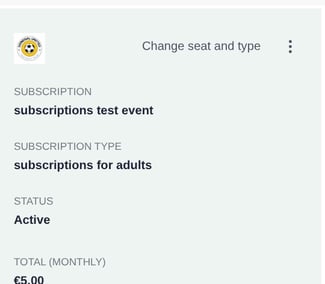
Under the Active Items tab, you can see the status of your current plan, the monthly cost, and exactly what type of package you are on (such as an "Adult" or "Family" subscription).
How to Modify Your Subscription
TicketCo gives you the flexibility to change your setup without having to contact support. If the event organiser has enabled these features, you will see a "Change seat and type" option on your subscription card:
-
Change Seat: If you’ve decided you’d prefer a view from the halfway line rather than behind the goal, you can select a new available seat from the stadium map.
-
Change Type: If your circumstances change—for example, if you need to upgrade from a Junior to an Adult subscription—you can modify the "Subscription Type" here.
-
Managing Payments: This section also allows you to update your credit card details to ensure your subscription remains active and you don't miss out on any upcoming events.
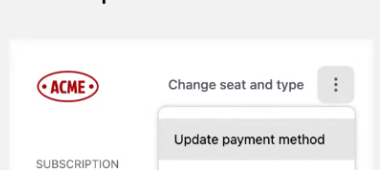
- Cancelling a subscription: If you want to cancel a subscription, please reach out to the organiser / club.
Note: Any price differences between subscription types will be calculated automatically, and your next billing cycle will reflect the changes you've made.
Cannot Attend a Game? Free Up Your Seat
If you have a match ticket or season pass but find out you can no longer make it to a game, you don’t have to let your seat go to waste. You can quickly free up your space so another fan can cheer on the team.
How to Release Your Seat
-
Log In to your profile and navigate to your dashboard.
-
Under the Active Items tab, find the ticket for the upcoming match you cannot attend.
-
Click the "Can't Attend" button on the ticket you want to free up
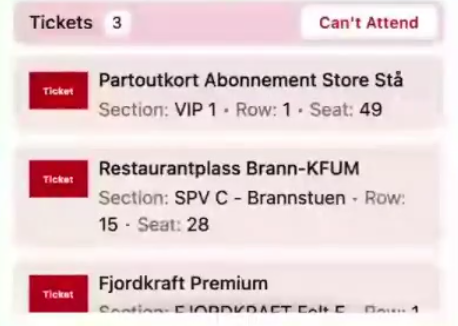
Please note: Once you click the "Can't Attend" button, this action cannot be undone from your profile. If your plans change and you wish to reclaim your seat, you must contact the club directly. If the seat has not yet been sold to another fan, the club can re-assign it back to you.